
Records with no signal
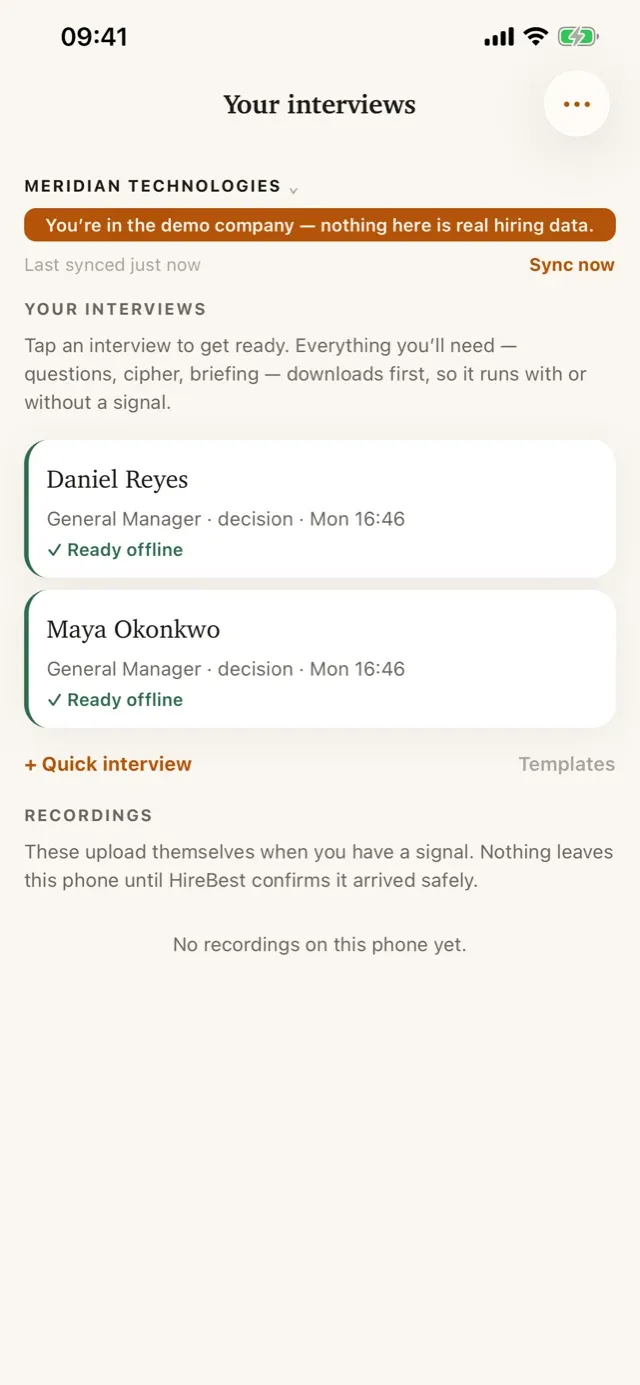
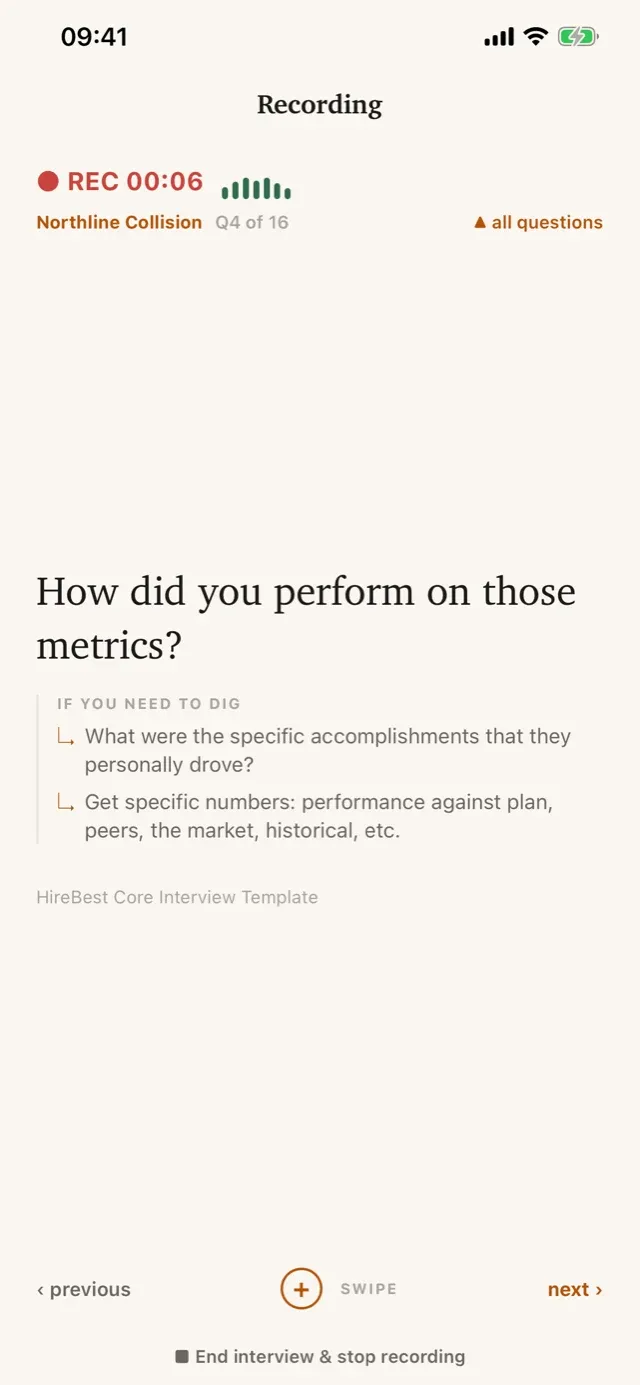
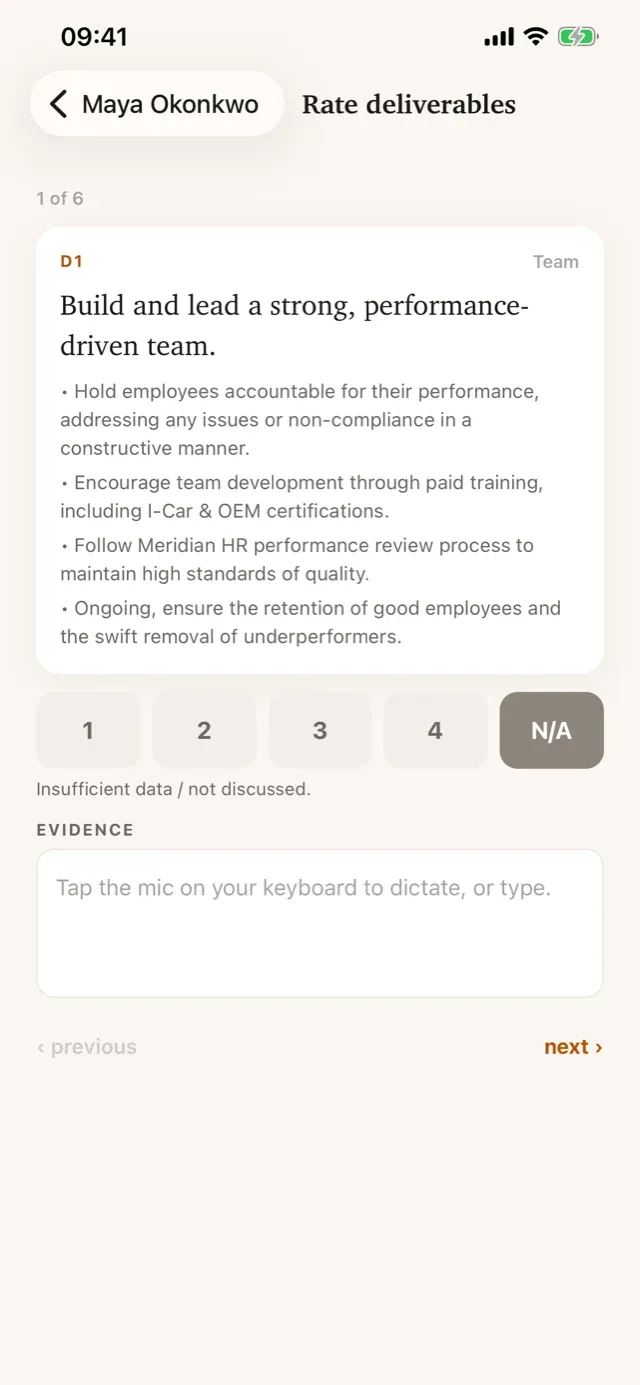
Recording, questions and ratings all run on the phone. Upload waits until HireBest confirms every part arrived.
The HireBest: Interview Companion app puts the questions, candidate briefing, recording and Cipher rating on the interviewer’s iPhone. It works offline and syncs when the phone is back online.
A one-minute look at an in-person interview on the phone, with no signal.
You interview in person, out on the warehouse floor. And out there… there’s no signal.
So the interview goes with you, on your phone. While Alex still has a signal, the HireBest app downloads his interviews. Tomas Ibarra, for Site Supervisor in Louisville. In the shift office, there’s no signal… and it doesn’t matter. Alex opens the interview, confirms Tomas has agreed to the recording, and starts. The questions are right there on the phone. When they’re done, the recording stays safe on the phone, waiting to sync. Back in signal, Alex opens the app, and the recording uploads itself. HireBest checks every part arrived… safe. And back at his desk, the interview’s there, with its transcript.
It records with no signal, and syncs when you’re back online.
See it with your own hiring. Book a demo.
Dealerships, clinics and distribution centres do much of their hiring face to face, in rooms with no video call and unreliable wifi. A laptop can change the conversation, so interviewers fall back to paper and a write-up from memory. The app closes that gap.

The same structure and record as a web interview, designed for the phone in your hand.
Recording, questions and ratings all run on the phone. Upload waits until HireBest confirms every part arrived.
Large type and swipe-to-advance keep the guide useful without taking over the conversation.
The wrap-up flows into the same four-point Cipher rating. Speak the evidence instead of typing it.
The interview appears in HireBest with its transcript, speakers and evidence against the Cipher.
Yes. The HireBest: Interview Companion app records the interview and runs the questions and rating on the phone with no signal, then syncs to HireBest when the phone is back online.
iPhone. Download HireBest: Interview Companion from the App Store.
Scan one QR code from HireBest on your computer, once. There is no password to type on the phone.
Download HireBest: Interview Companion or see how it fits your hiring process.