
What are the job settings?
The Settings tab of a job is where the Hiring Manager, the TA Partner and Admins set up how the job runs. It has these sections:
- Job Details: the title, level, function and description. See How do I edit a job?
- Hiring Team: who is on the team and in which roles. See How do I create the hiring team?
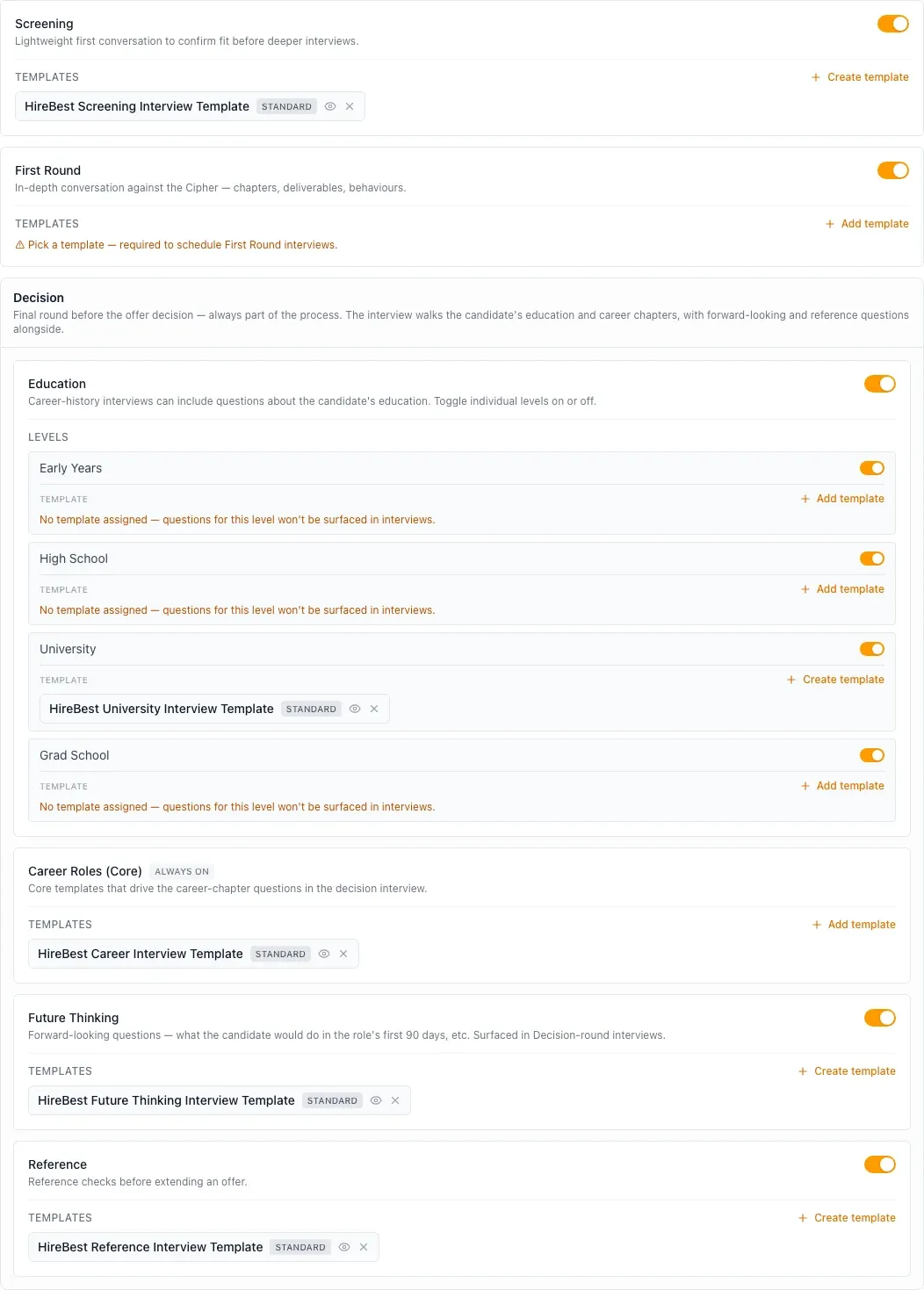
- Process Configuration: the interview rounds of the job, and the interview templates each round uses.
- Hogan Assessments: whether the job uses Hogan, and which reports are available for the role. See How do Hogan Assessments work?
Interview rounds and templates
A new job starts with the HireBest standard templates. Under Interview Rounds you can:
- Turn the Screening, First Round and Reference rounds on or off. The Decision round is always part of the process.
- Choose which templates each round uses, including your organization's own templates.
- In the Decision round, turn the education levels on or off, and choose the templates for the career chapters and the forward-looking questions.
Pick a template for every round and level you use. HireBest warns you when one has no template: you cannot schedule an interview in that round, or its questions do not appear in the interview.
See What are Interview Templates? and Add templates to a job.