
How do Hogan Assessments work?
- Your organization turns Hogan on. An Admin does this once, and adds a payment card. See How do I enable Hogan Assessments for my organization?
- The job chooses its reports. In the job's Settings tab, under Hogan Assessments, choose the reports that are available for the role.
- The team orders an assessment. Open the candidate's application, click the Assessments tab, then + Order assessment, and choose one of the job's reports.
- An approver approves the order. If you are not a Hogan approver, your order waits for approval, and your organization's approvers are notified. An approver's own orders go straight through.
- The candidate takes the assessment. HireBest emails the candidate a link to the Hogan assessment. Make sure the candidate's email address is correct.
- The report comes back. HireBest shows the order and its status on the application. When the candidate completes the assessment, the report becomes available there.
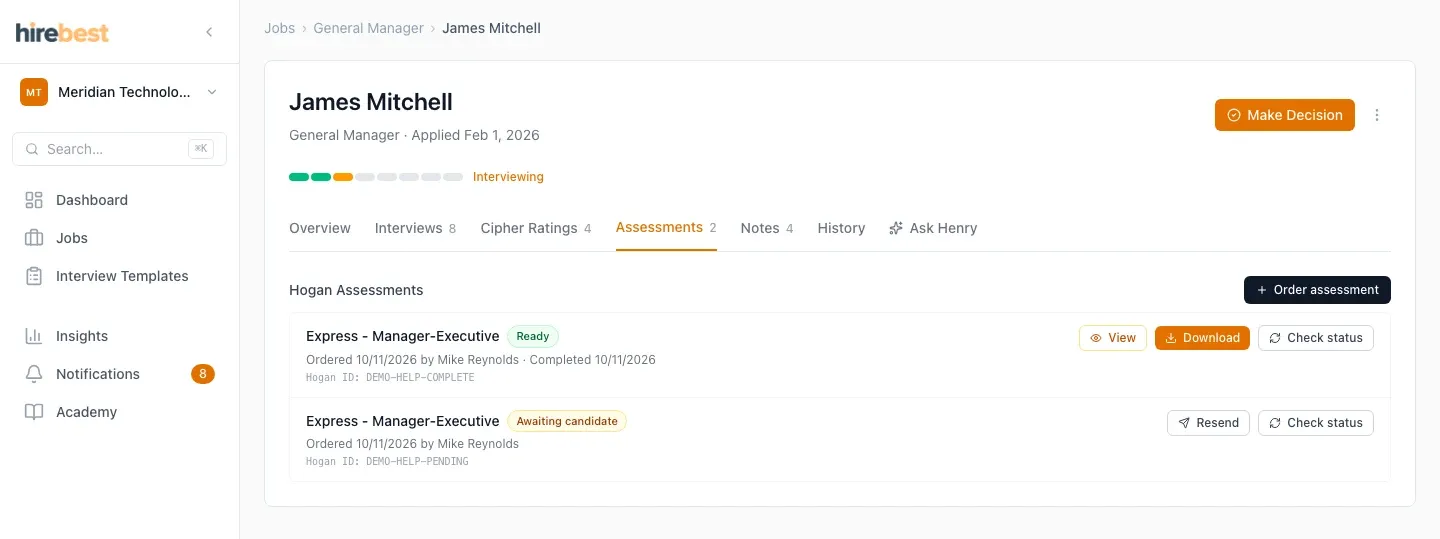

See Order and monitor an assessment and Read the available results.