
Understand customer roles
Each person gets one organization role. On each job, they also get one or more hiring-team roles. Use the organization role for what a person does across the company. Use the team roles for what they do on one job.
Who can do this
Admins and Super Admins set organization roles. The Hiring Manager, the TA Partner, Admins and Super Admins set a job's hiring team.
Choose an organization role
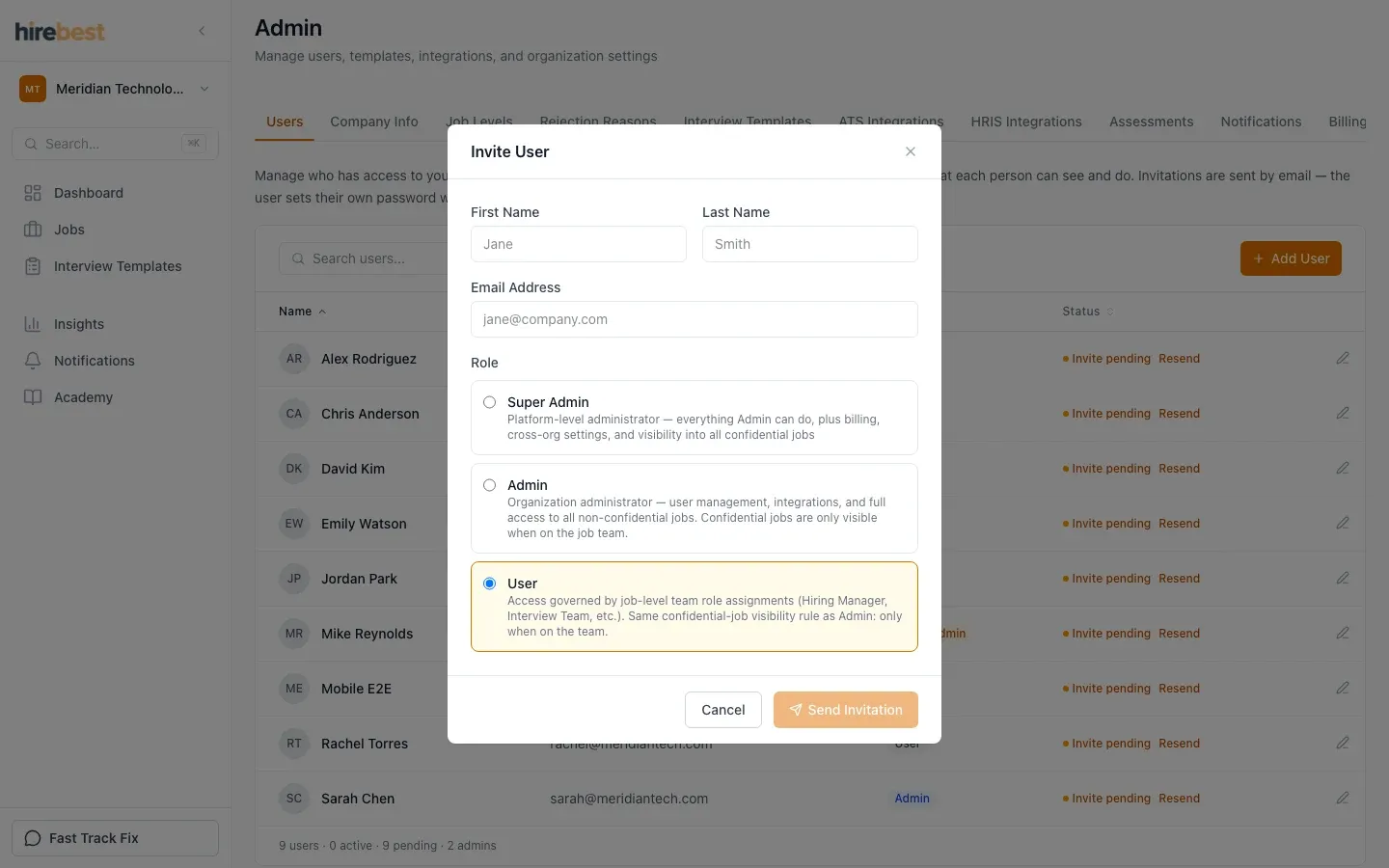
| Choose | For |
|---|---|
| User | Most people: hiring managers, recruiters, interviewers and reviewers. They see only the jobs where they are on the team. |
| Admin | The people who run HireBest for your company. They manage users and settings, and they see every job that is not confidential. |
| Super Admin | One or two owners. They can do everything an Admin can do, and they also see confidential jobs. |
Start with User. Give Admin or Super Admin only to people who manage HireBest.
Choose hiring-team roles
| Team role | Give it to |
|---|---|
| Hiring Manager | The person who owns the hire. Records the hiring decision. |
| TA Partner | The recruiter or HR partner who runs the process with the Hiring Manager. |
| Cipher Review | People who review the Cipher before it is final. |
| Sourcing & Screening | People who find candidates and run screening interviews. |
| Interviewer | People who interview. They see only the candidates and interviews assigned to them. |
A person can hold several team roles on the same job.
Two flags to know
- Talent Acquisition (TA): lets a person choose the Hiring Manager and TA Partner when they create a job. Without it, the person who creates a job becomes its Hiring Manager.
- Hogan approver: lets a person order Hogan assessments without approval.
An Admin sets both flags in Edit User. See Manage team members.
Common problems
- A colleague cannot see a job: add them to the job's hiring team. A User sees only the jobs where they are on the team.
- An Admin cannot see a job: the job is confidential. Add them to its hiring team, or ask a Super Admin.
- A colleague cannot record the hiring decision: give them the Hiring Manager role on that job.
The full rules are in Roles and permissions.