
Pair your phone
Pair the mobile app from a browser where you are already signed in to HireBest.
Pair the app
-
On the web, open Account, then Devices.
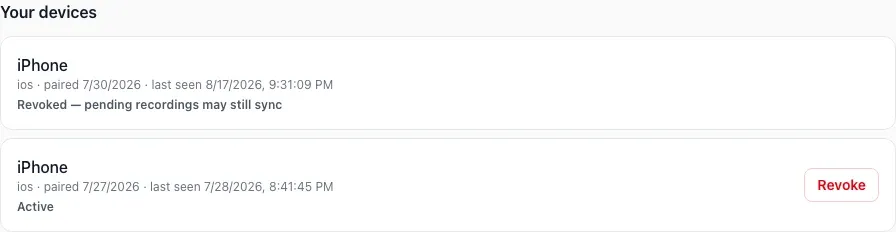
-
In the phone app, scan the square pairing code shown on the web. The code is deliberately hidden in this guide.

Pairing codes are temporary. The live code is hidden in this public example. -
Return to the web. When Is this your phone? appears, confirm the device details and choose Approve this phone.

Scanning alone does not approve a device. Approval in the signed-in browser completes the pairing.
Common problems
- No approval card appears: keep the Devices tab open, scan a fresh code and wait briefly.
- The request is unfamiliar: do not approve it.
- The phone was replaced: revoke the old device before pairing the replacement.