
Try the demo sandbox
The demo sandbox is a private practice organization. It has sample jobs, candidates, Ciphers, interviews and ratings. Only you can see your sandbox. Nothing that you do in it changes your real organization, and nothing in it moves to your real organization.
The sandbox teaches the hiring work. It does not set up your organization. To set up your organization, read Set up a new organization.
Who can do this
Every signed-in person can launch their own sandbox. HireBest does not build a sandbox until you ask for one.
Launch the sandbox
-
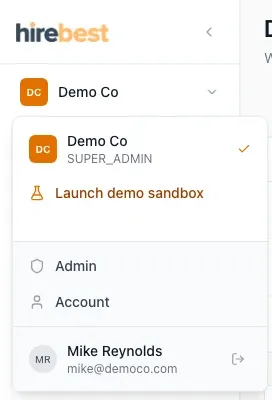
Click your organization's name at the top of the sidebar.
-
Select Launch demo sandbox. The menu shows Building your demo sandbox…. The build takes about a minute.
-
When the build is finished, open the same menu and select Demo sandbox.
If your organization has no jobs, the dashboard also shows Launch demo sandbox.
Practise in the sandbox
A banner at the top of each page shows that you are in the sandbox.
The sandbox holds sample data like this, for an invented company.
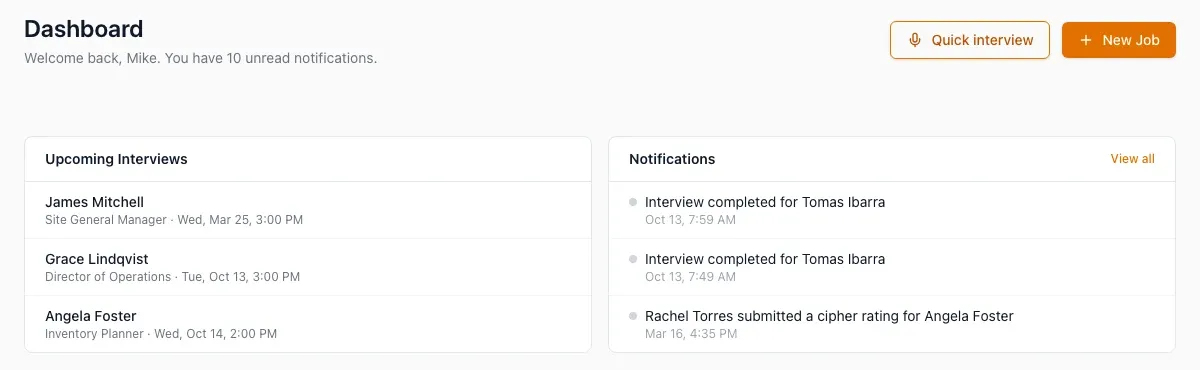
- You are a Super Admin in your sandbox. You see all of the jobs and all of the settings. In your real organization, you see what your role and your hiring teams allow. See Understand customer roles.
- The other people are samples. A sample reviewer does not answer when you share a Cipher for review. You can finalize the Cipher without an answer.
- Sample people get no email. You can still get notification emails at your own address.
- Do not select Order assessment on a candidate. HireBest does not block a Hogan order in the sandbox, so an order can go to the Hogan service.
Reset the sandbox or leave it
- To start again, select Reset in the banner, then confirm. Reset removes all of your changes and builds a new sandbox.
- To return to your real organization, select Go to and your organization's name in the banner.
What happens next
If you do not use your sandbox for 30 days, HireBest removes it. To get a new one, select Launch demo sandbox again.
Common problems
- "Demo sandbox could not be built. Try again": select it to build again. If it fails again, contact support.
- The sandbox does not look like your company: this is correct. It holds sample data for an invented company.
- You cannot require two-step sign-in in the sandbox: this is correct. HireBest shows "Two-step sign-in cannot be required in a demo organization."