
Schedule an interview
Turn an item in the job’s interview plan into a scheduled interview for a candidate.
Who can do this
Job team members with scheduling access can schedule interviews and assign appropriate interviewers.
Before you begin
Confirm the candidate, interview template, interviewer and agreed date and time. Check the organization’s calendar and meeting process.
Schedule the interview
-
Open the job’s interview plan and choose the interview to schedule.
-
Select the candidate, interviewer and timing requested by the form.
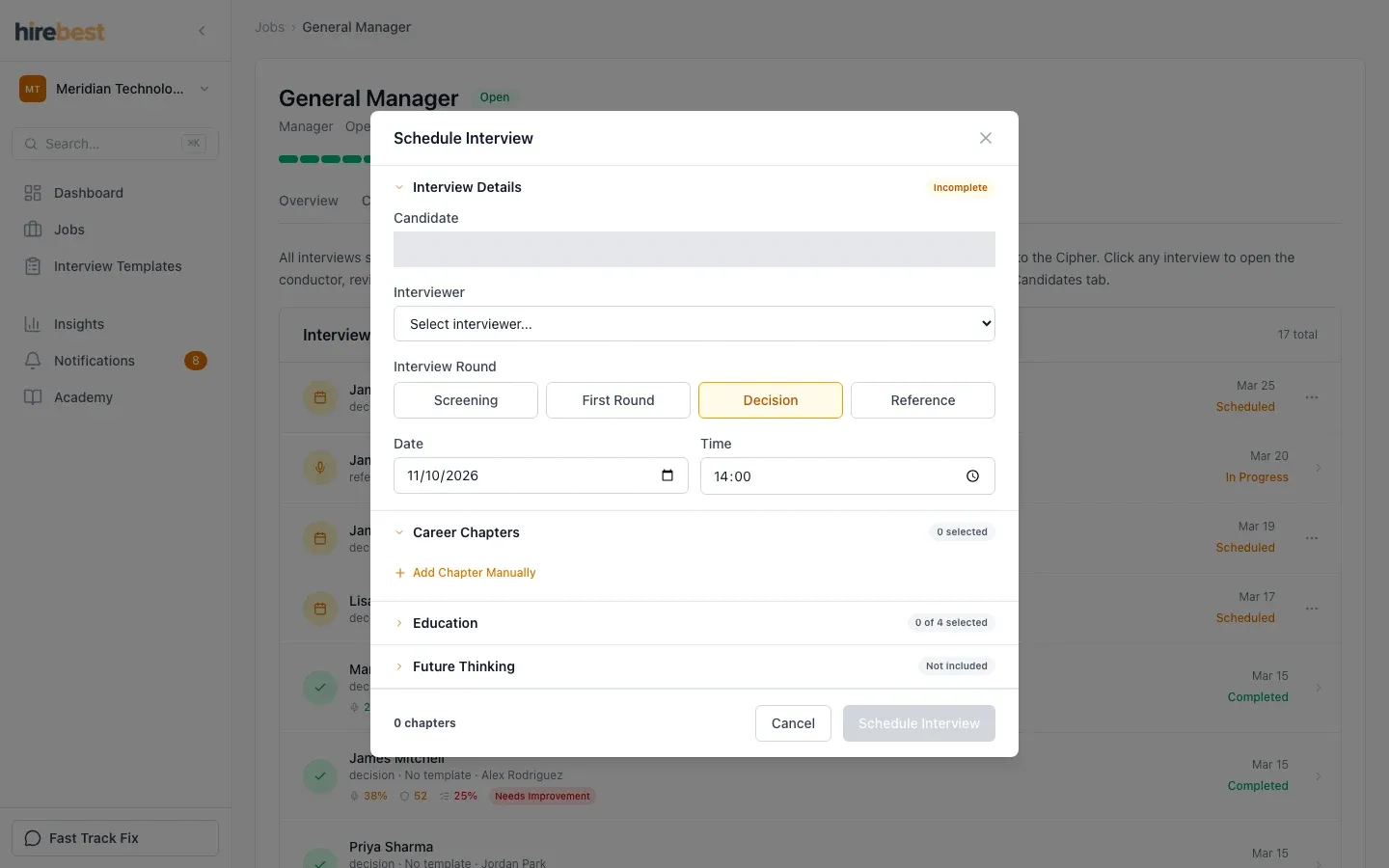
-
Review the details and complete scheduling.
-
Confirm that the interview now appears in the plan with the expected status.
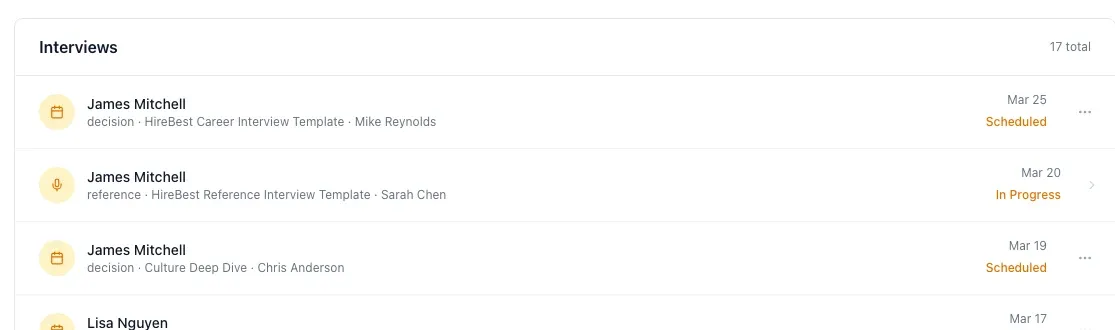
What happens next
The assigned interviewer can prepare from the HireBest interview record. Calendar or meeting details depend on the connection and scheduling flow used by your organization.
Common problems
- The candidate is unavailable in the form: confirm they belong to this job and are in an active stage.
- The interviewer is missing: add them to the organization and job team where required.
- Calendar details do not appear: check the connected calendar and confirm the scheduling action completed.