
Control notifications for your organization
Each person manages their own notifications. An Admin can also turn a notification type off for everyone.
Who can do this
Admins and Super Admins.
Steps
-
Click your organization's name at the top of the sidebar, then click Admin.
-
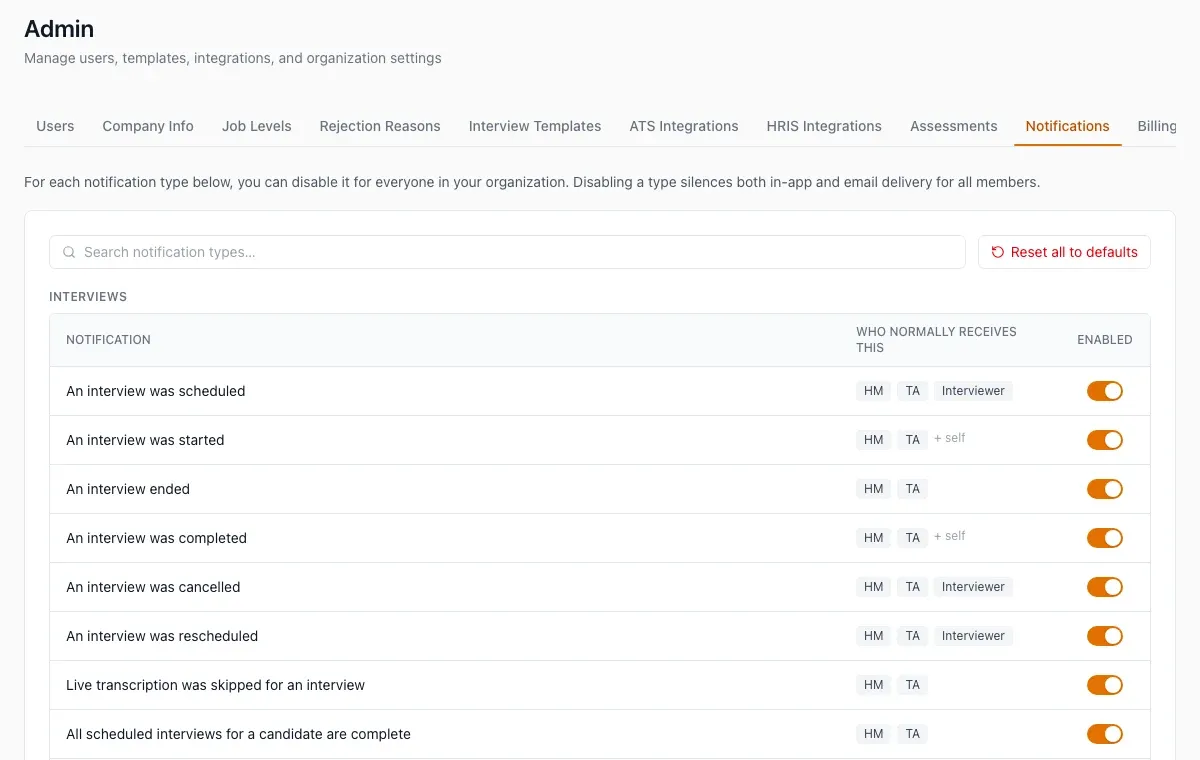
Open the Notifications tab. The types are grouped: Interviews, Candidates, Cipher, Decisions, Compliance, Team and System.
-
Read Who normally receives this for a type.
-
Turn the Enabled switch off to stop that type, in the app and by email, for every member.
-
To undo all your changes, click Reset all to defaults.
What happens next
The change applies to everyone in the organization. A type that HireBest recommends keeping on asks you to confirm, then shows "recommended on".
Common problems
- One person wants fewer emails: let them change their own settings. See Manage notifications.