
Connect your ATS
An ATS (applicant tracking system) holds your jobs and applicants. HireBest connects to JazzHR today. For any other ATS, we build the connection as part of your onboarding. See Supported integrations.
Who can do this
Admins and Super Admins.
Before you begin
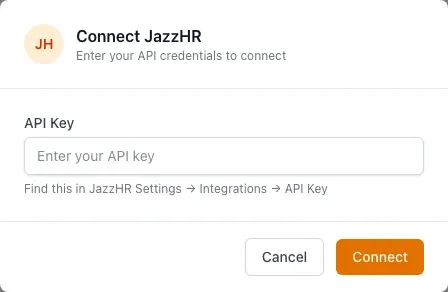
Get your JazzHR API key. In JazzHR, open Settings → Integrations → API Key.
Connect JazzHR
-
Click your organization's name at the top of the sidebar, then click Admin.
-
Open the ATS Integrations tab.
-
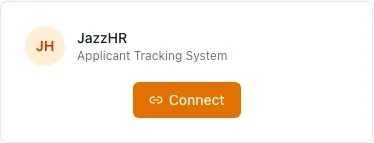
On the JazzHR card, click Connect.
-
Paste the API Key and click Connect. HireBest tests the key before it saves it.
Import jobs and candidates
- On the connected card, click Import Jobs. Select the jobs, then click Import Selected. Each job arrives as a draft job.
- Click Import Candidates. Choose an imported job, select the candidates, then click Import Selected.
- Add résumés on each candidate's record. JazzHR does not send them.
What happens next
The card shows who connected it, the last sync time, and how many jobs and candidates are linked.
- Sync Now refreshes the jobs and candidates you already imported. It does not import new ones.
- A candidate whose email is already in HireBest is linked to the existing record. HireBest does not create a duplicate.
- HireBest does not write anything back to JazzHR.
Common problems
- "Connection test failed. Please check your API key and try again.": copy the key again from JazzHR.
- "This ATS is already connected to your organization.": another Admin has connected it. Use the existing card.
- New JazzHR candidates do not appear: click Import Candidates. Sync Now does not add new records.
- To stop the connection: click Disconnect. The data you imported stays in HireBest.