
Add an assessment to a job
Configure the assessment step on the job before ordering it for candidates.
Configure the job
-
Open the job and find its Hogan assessment settings.
-
Select from the assessment products available to your organization.
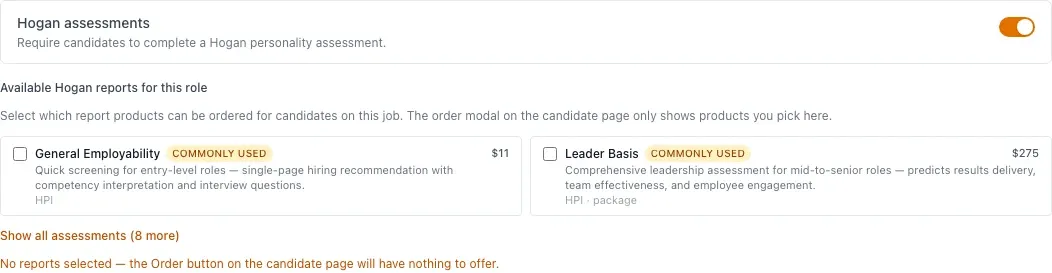
-
Save the job configuration and confirm it with the hiring team.
Product availability depends on your organization’s Hogan setup. HireBest displays the workflow but does not replace qualified interpretation of assessment results.