
Find your way around
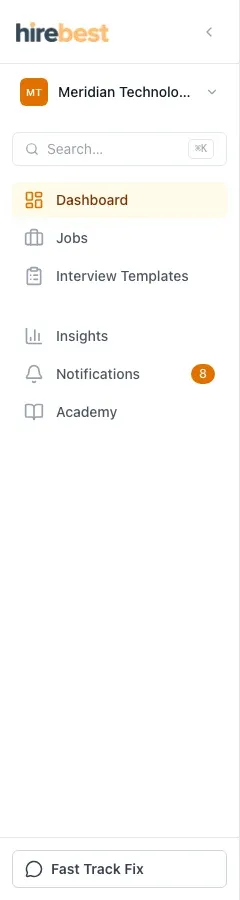
Use the main navigation to move between your current organization’s hiring work.
Who can do this
Every signed-in customer user can use the navigation. The pages and actions you see depend on your organization role and job assignments.
Before you begin
Confirm that the organization shown in the workspace switcher is the one you want to use.
Use the navigation
-
Use Dashboard for an overview of work that needs attention.
-
Use Jobs for role setup, Ciphers, candidates and interview plans.
-
Use Interview Templates to manage reusable interview structures.
-
Use Insights and Notifications to review patterns and activity available to your role.
-
Use Academy for learning content provided to your organization.
What happens next
The organization and access rules stay in effect as you move between pages. Items you are not permitted to view are not added to the navigation.
Common problems
- A navigation item is missing: the feature may not be enabled for your organization or your role may not include it.
- A page has no records: confirm the organization and any filters on the page.
- The navigation is collapsed: use its expand control or the menu control on a smaller screen.