
Add a candidate
Create a candidate record inside the job where the person is being considered.
Who can do this
Organization administrators and job team members with candidate-management access can add candidates.
Before you begin
Confirm the correct job and have the candidate’s name, contact details and résumé where available. Handle candidate information according to your organization’s privacy process.
Add the candidate
-
Open the job and select Candidates.
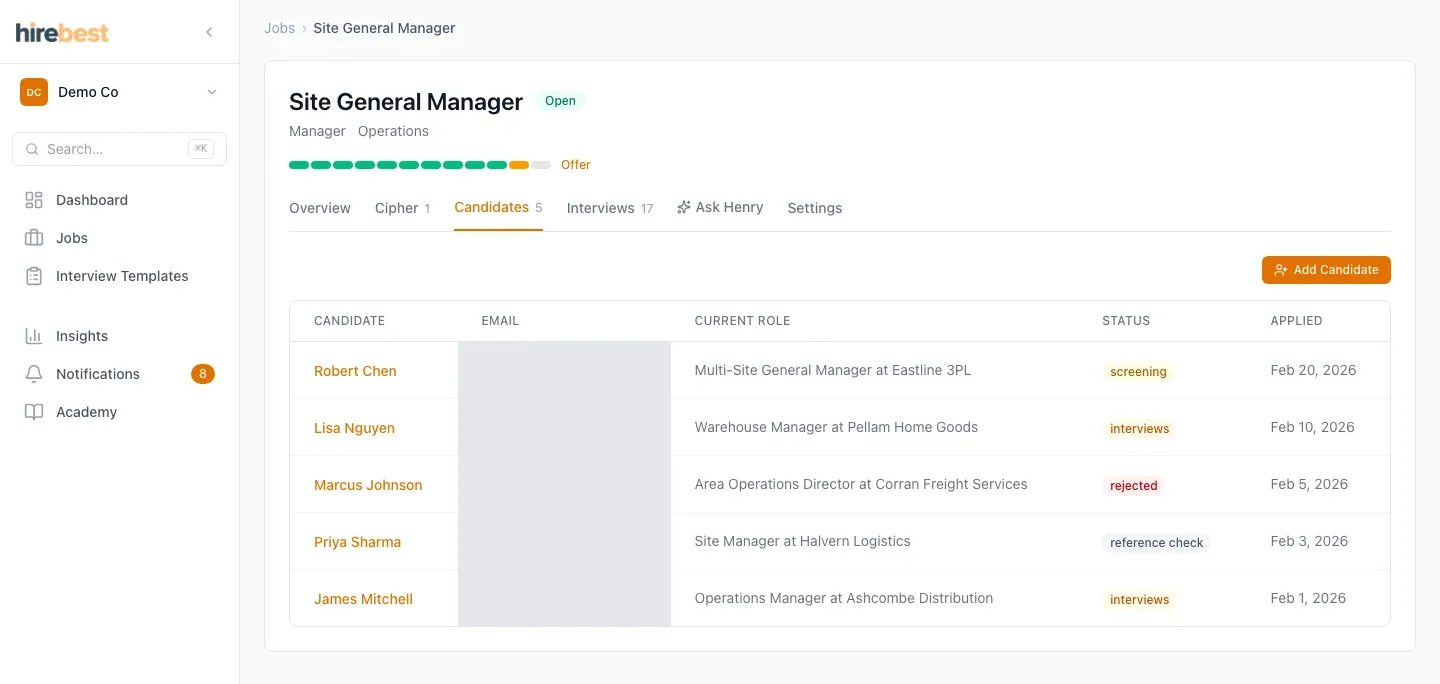
-
Choose the add-candidate control and enter the requested details.
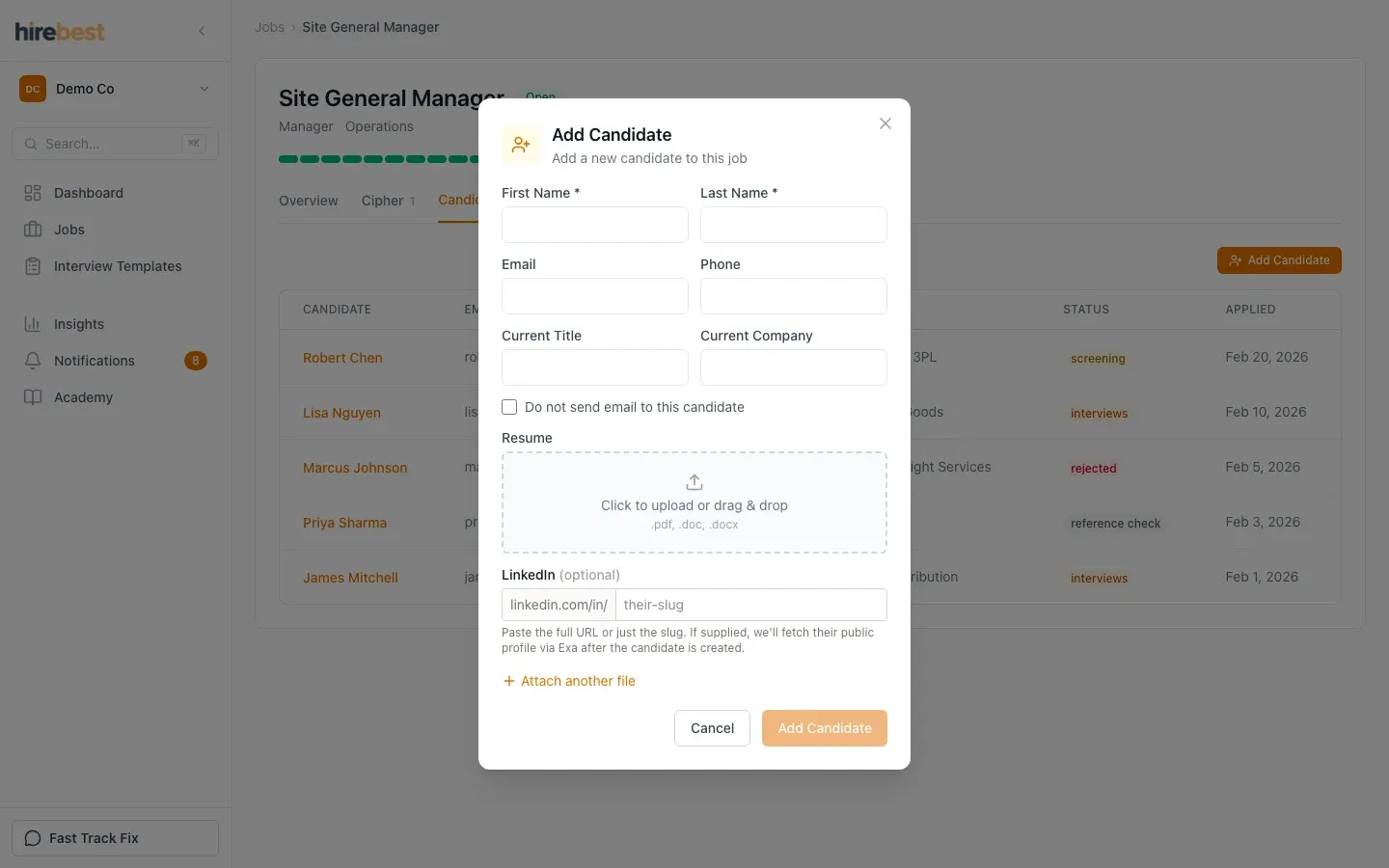
-
Check the spelling and contact information, attach the appropriate résumé if requested, then create the record.
What happens next
HireBest adds the candidate to the job’s pipeline. The team can then review the record, plan interviews and move the candidate through the agreed stages.
Common problems
- The add control is unavailable: confirm your job role and organization access.
- The candidate already exists: open the existing record rather than creating a duplicate.
- A résumé upload fails: use a supported document and try again after confirming the file opens locally.