
Build and finalise a Cipher
A Cipher turns a job description into an explicit definition of success: the role's Charge, the outcomes it must achieve, the deliverables that demonstrate those outcomes and the efforts required to produce them.
Who can do this
Admins, Super Admins, and the hiring manager or talent acquisition partner of the job can create, edit, share, finalise and delete a Cipher. Only a draft Cipher can be deleted.
Other people who can see the job open the Cipher read-only. A person with the Cipher Review role on the hiring team can review it and add comments.
Before you begin
Create the job and assign its hiring team. Add at least one person with the Cipher Review role if you want the Cipher reviewed. Bring the approved job description and the practical business context for the role; Cipher Coach will help structure it, but the hiring team remains responsible for the final definition.
Build the Cipher
-
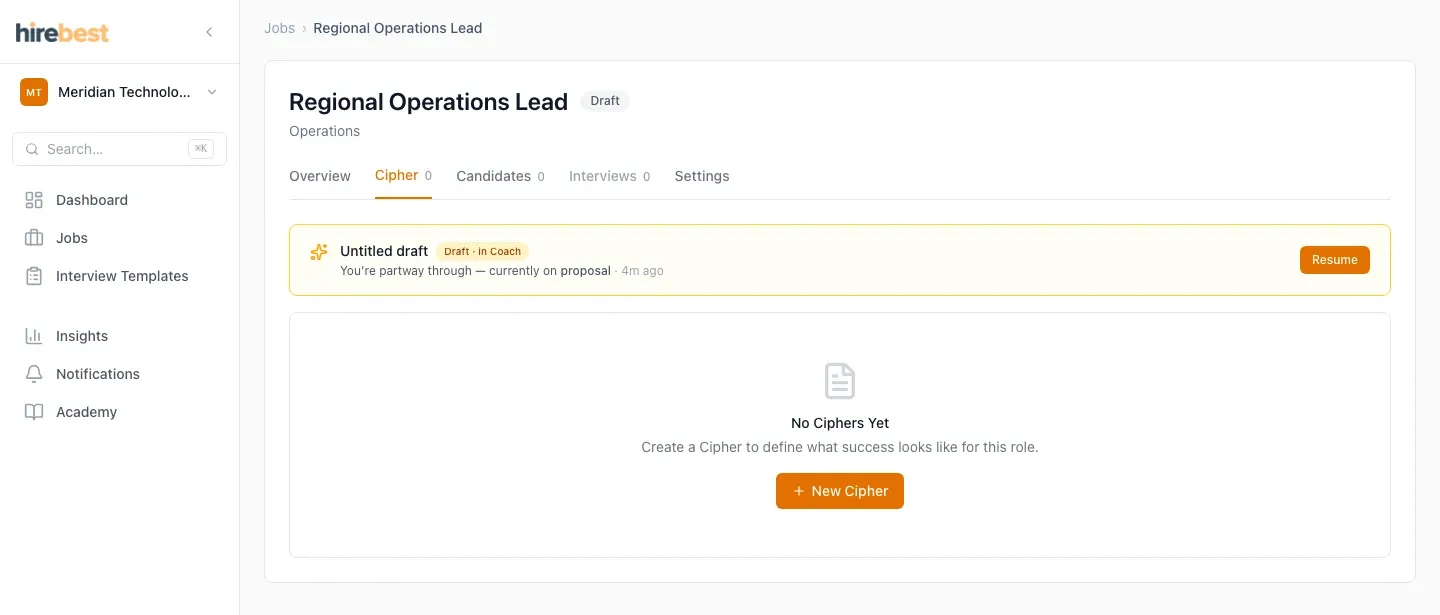
Open the job, then open Cipher. If the job has no Cipher yet, click New Cipher to start Cipher Coach.
-
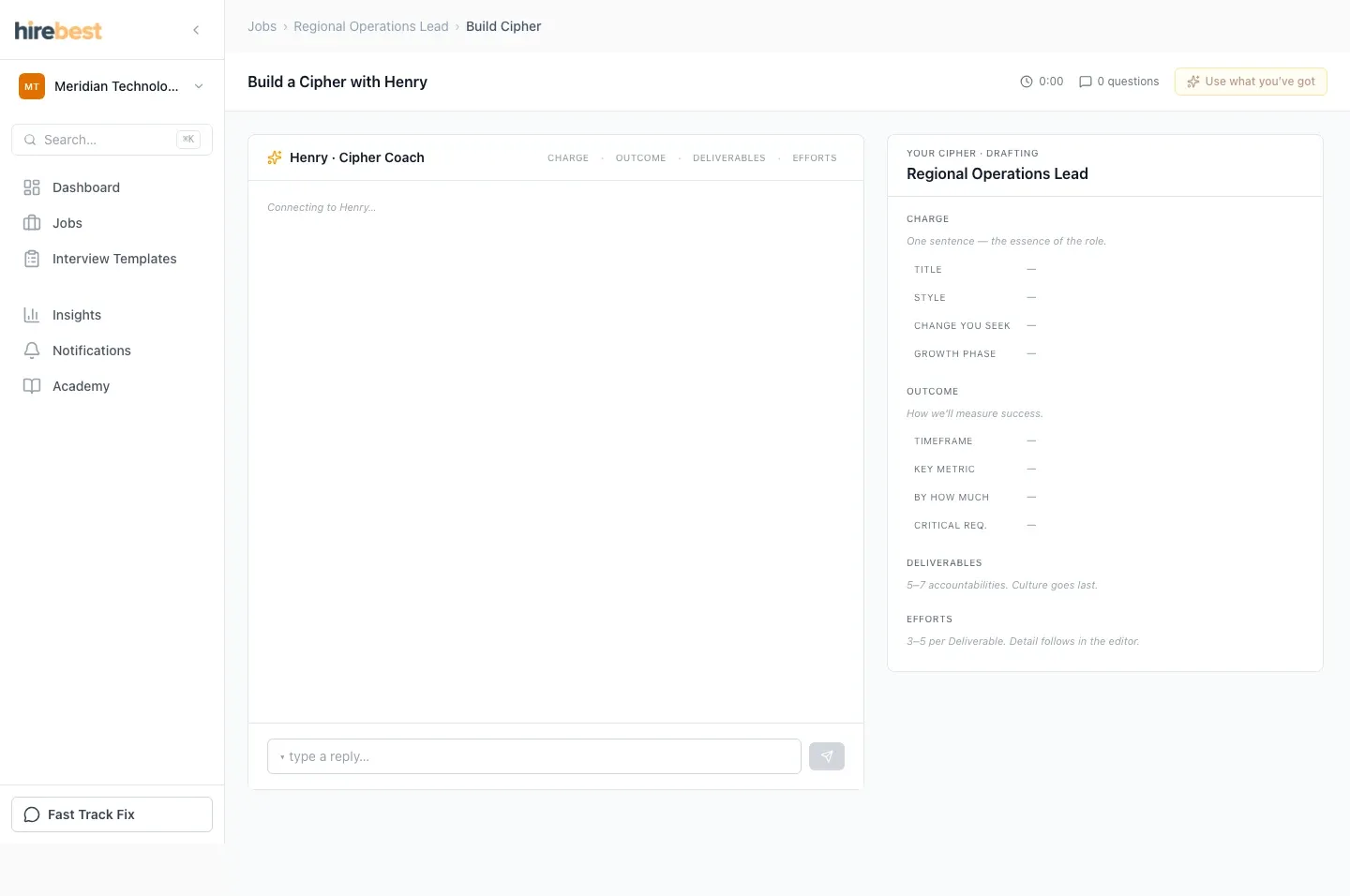
Cipher Coach opens with the job context it can use, then Henry prepares a grounded proposal. If an earlier session exists, deliberately resume it or start fresh before continuing.
If no one on the job is set to review the Cipher, a note at the top says so and offers Add reviewers. You can add them now or close the note. After you add reviewers, the note names them. Use what you’ve got stays in view, above the draft or just above the reply box on a small screen, so Henry can finish the Cipher from what you have shared at any time.
-
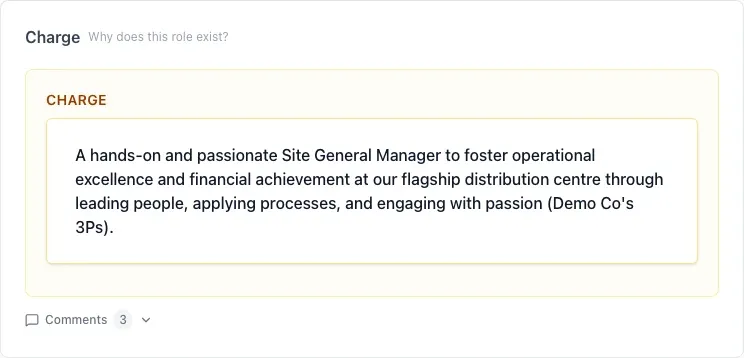
Define the Charge: the concise purpose of the role and the change it exists to create. Confirm that it describes success rather than a list of routine duties.
-
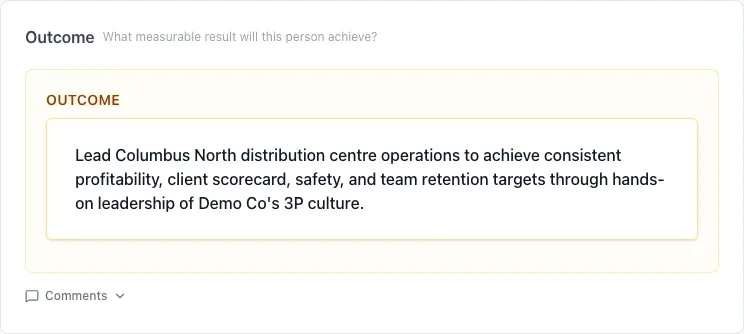
Work through the outcomes. Each outcome should describe a meaningful result the person must produce.
-
Add or refine the deliverables and efforts beneath each outcome. Keep them specific enough that interviewers can gather evidence and later make a rating.
Cipher Coach finishes only when the Cipher has a Charge, an Outcome, 5 to 7 deliverables, at least one Company Culture deliverable, and at least one effort under each deliverable. If something is missing, Henry tells you what to add. To let Henry finish the Cipher from what you have shared, click Use what you’ve got. Henry then writes the efforts that are missing.
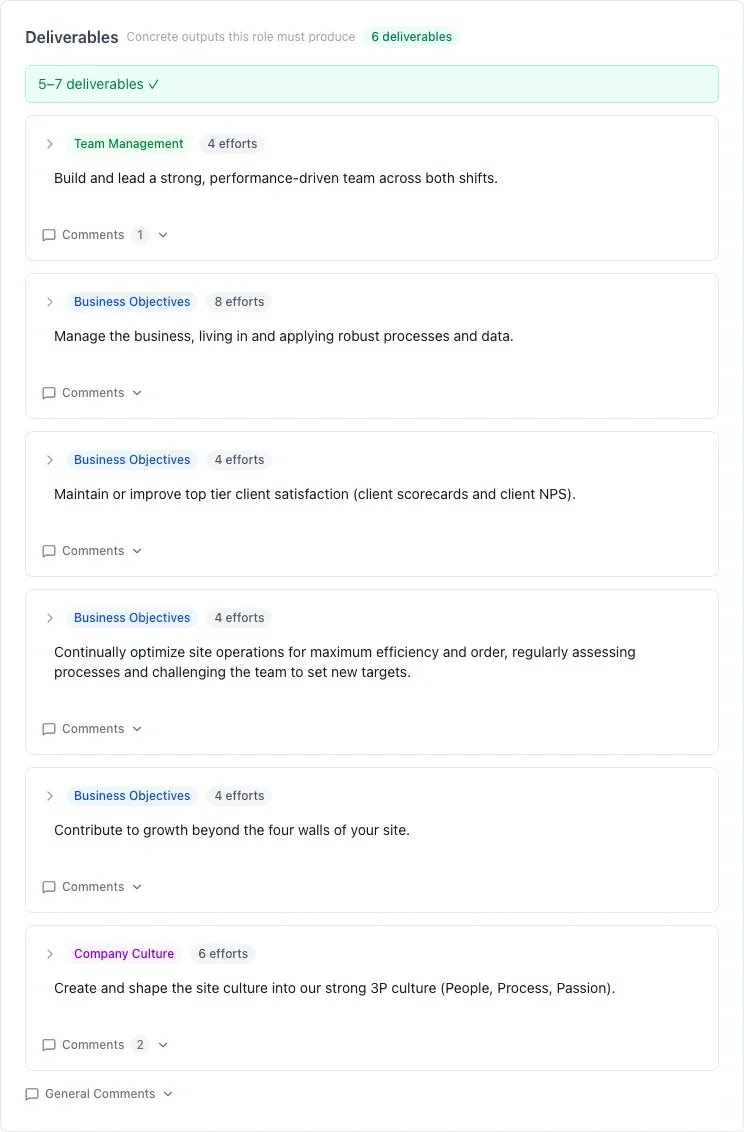
-
Review the complete structure. Correct duplication, vague language or missing evidence. To get feedback, click Share for Review.
If no one is set to review the Cipher, HireBest first asks Who should review this Cipher? Tick people under Hiring team or Others in your organization, then click Add reviewers. They join the hiring team as Cipher reviewers.
Share this Cipher for review? names the reviewers, for example "This will be shared with Rachel Torres and David Kim." Click Share to send it, or Add another reviewer. HireBest notifies each reviewer. In a sandbox, no email is sent. The Reviewers list in the Reviews panel shows each reviewer as Pending, In progress or Review complete.
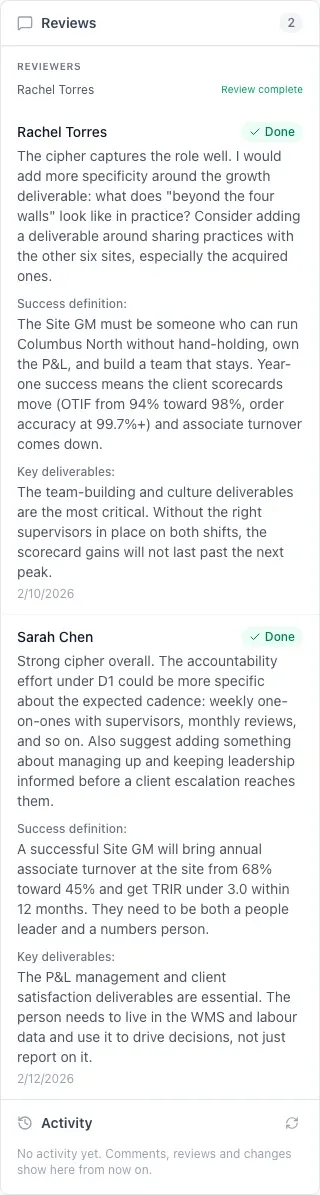
-
Click Finalize, then click Finalize again in Finalize this Cipher?. You do not have to wait for every review. HireBest shows Cipher finalized and Back to the job.
If some reviewers have not replied, the dialog is Finalize anyway? and names them. You can still finalize: click Finalize anyway.
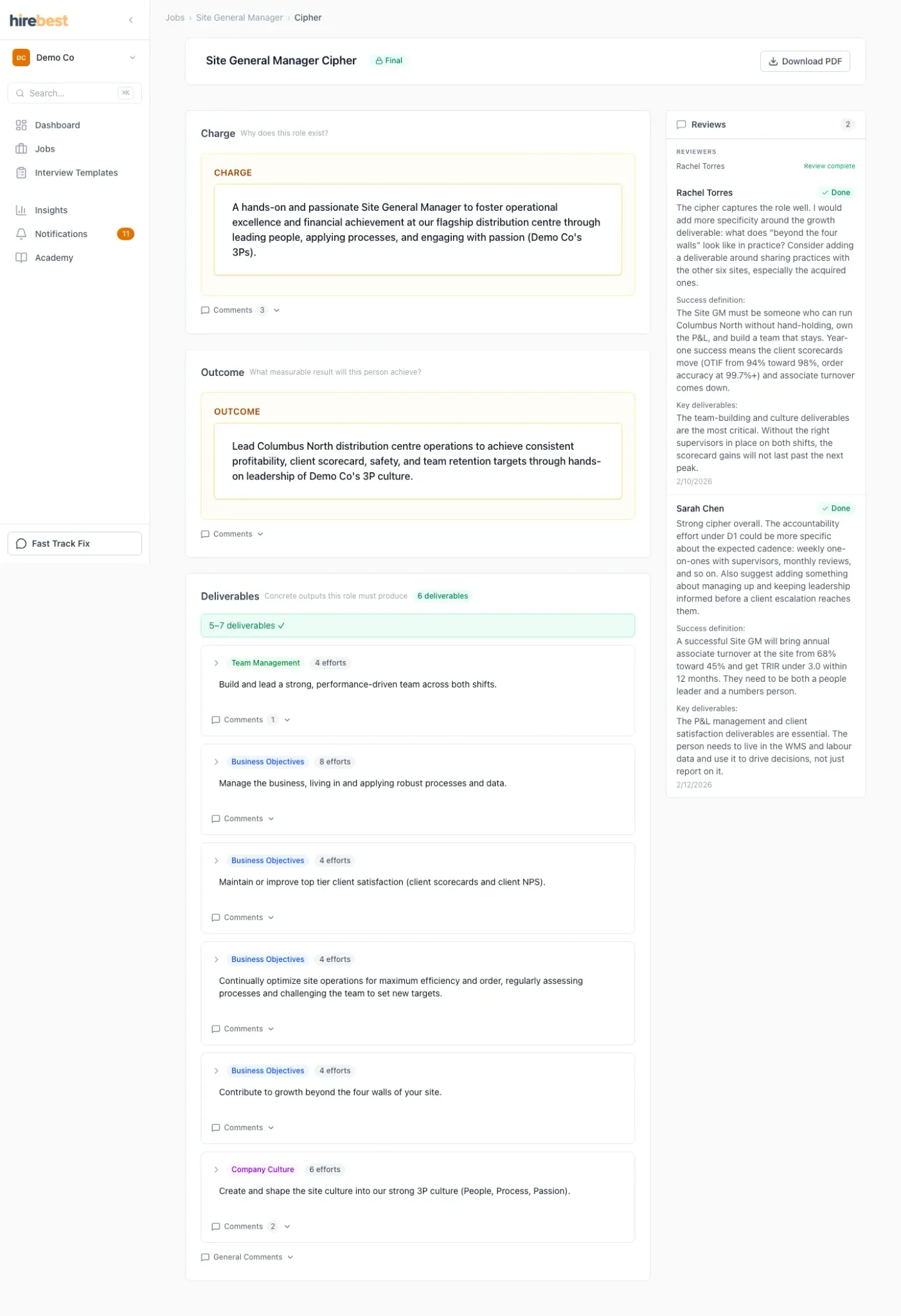
See the Cipher activity
The Activity list is under Reviews. It shows, newest first, who created the Cipher, changed or added a part, commented, shared it, finished a review or finalized it. Click show change next to a change to see the text before and after. Everyone who can see the Cipher sees this list. The list starts on the date shown at its end; older changes are not in it.
Ask a colleague in a comment
To ask a colleague a question about part of the Cipher, open Comments under it and type @ and their name. Pick them from the list. They get an email and a notification that open the Cipher at your comment. See Mention a colleague.
Review a Cipher
When the hiring team shares a Cipher with you, HireBest notifies you. You see the Cipher read-only.
- Open the Cipher. First, answer the three questions in First, your thoughts…. All three are required. Then click Continue to the Cipher.
- Read the Charge, the Outcome, and each deliverable and effort. To add a comment on one of them, click its Comments. For a comment on the whole Cipher, use General Comments.
- In the Reviews panel, click Submit Feedback. The hiring team sees that your review is complete.
What happens next
Every candidate is now rated against the final Cipher. Use the finalised Cipher to select or create interview templates. Interview questions and ratings should gather evidence against the same definition of success.
Common problems
- You cannot edit the Cipher, or you do not see New Cipher: only an Admin, a Super Admin, or the hiring manager or talent acquisition partner of the job can do this. A final Cipher cannot be edited.
- Cipher Coach shows an earlier session: resume it if the work is still relevant, or deliberately restart before entering new material.
- No one is listed under Reviewers: click Share for Review and pick reviewers, or add a Cipher reviewer on the job's Hiring team tab. Reviewers show under Reviews before you share.
- The Cipher is in review: reviewers add comments while you wait. You can finalise the Cipher when you have the feedback you need. HireBest does not wait for every review.
- The structure is too broad: return to the outcome or deliverable that is unclear and make the result observable before finalising.