
How do I start an interview?
You can open your upcoming interviews from several places in HireBest:
- The Upcoming Interviews list on your dashboard. This is the easiest.
- The job's Interviews tab.
- The candidate's interview cards.
- The notification that tells you an interview was scheduled.
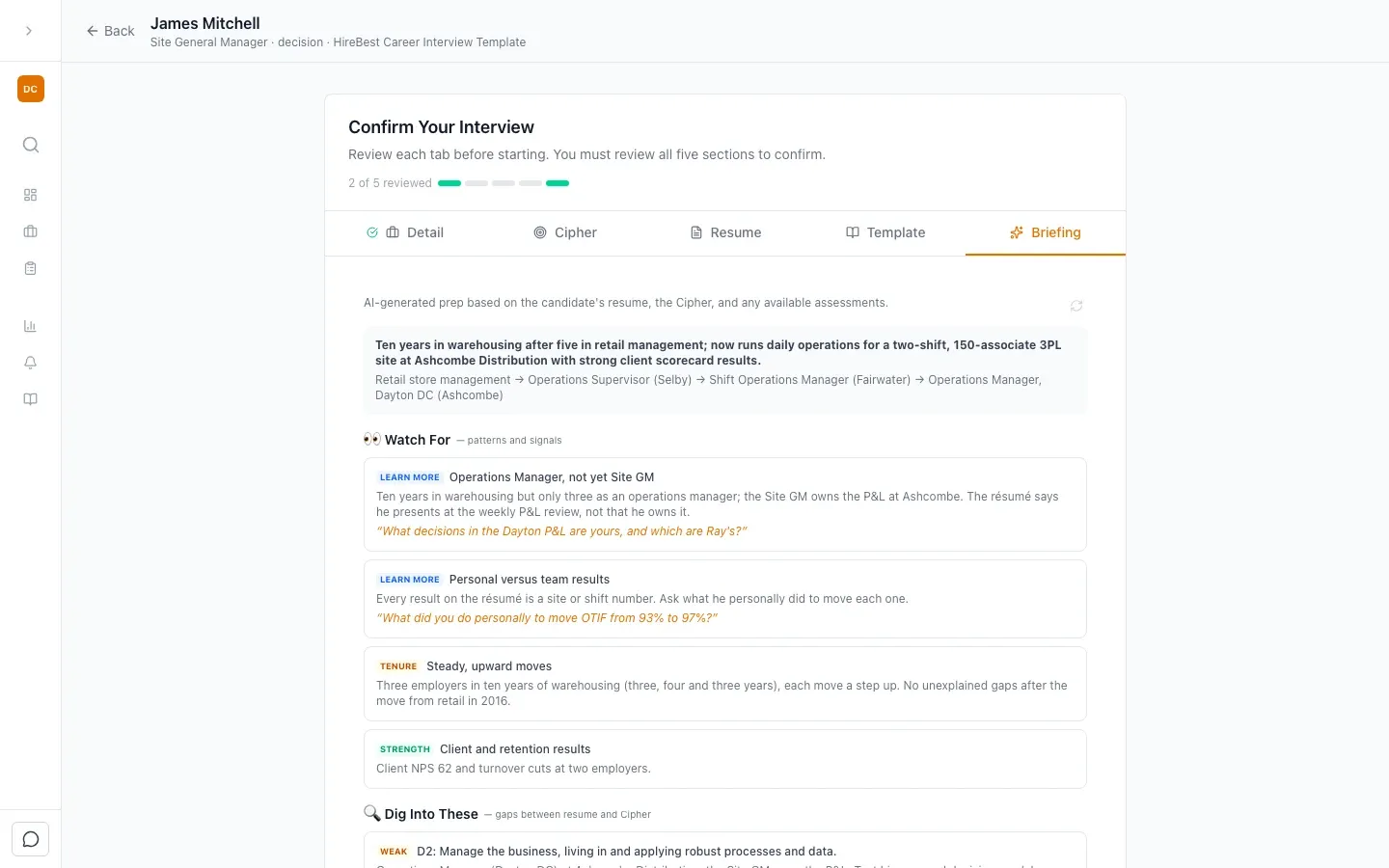
When you open the interview, HireBest asks you to prepare first. Review each of the five tabs: Detail, Cipher, Resume, Template and Briefing. Then click Confirm & Start Interview.
The interview opens on Setting the stage, with tips to get your interview off on the right foot. See How should I kick off my interview with a candidate? and Run an interview.