
How do I add a candidate?
There are two ways to add a candidate to a job:
- Create the candidate in HireBest, from the job.
- Import candidates from your ATS. See Can I use HireBest with my ATS?
To create a candidate:
- Open the job and click the Candidates tab.
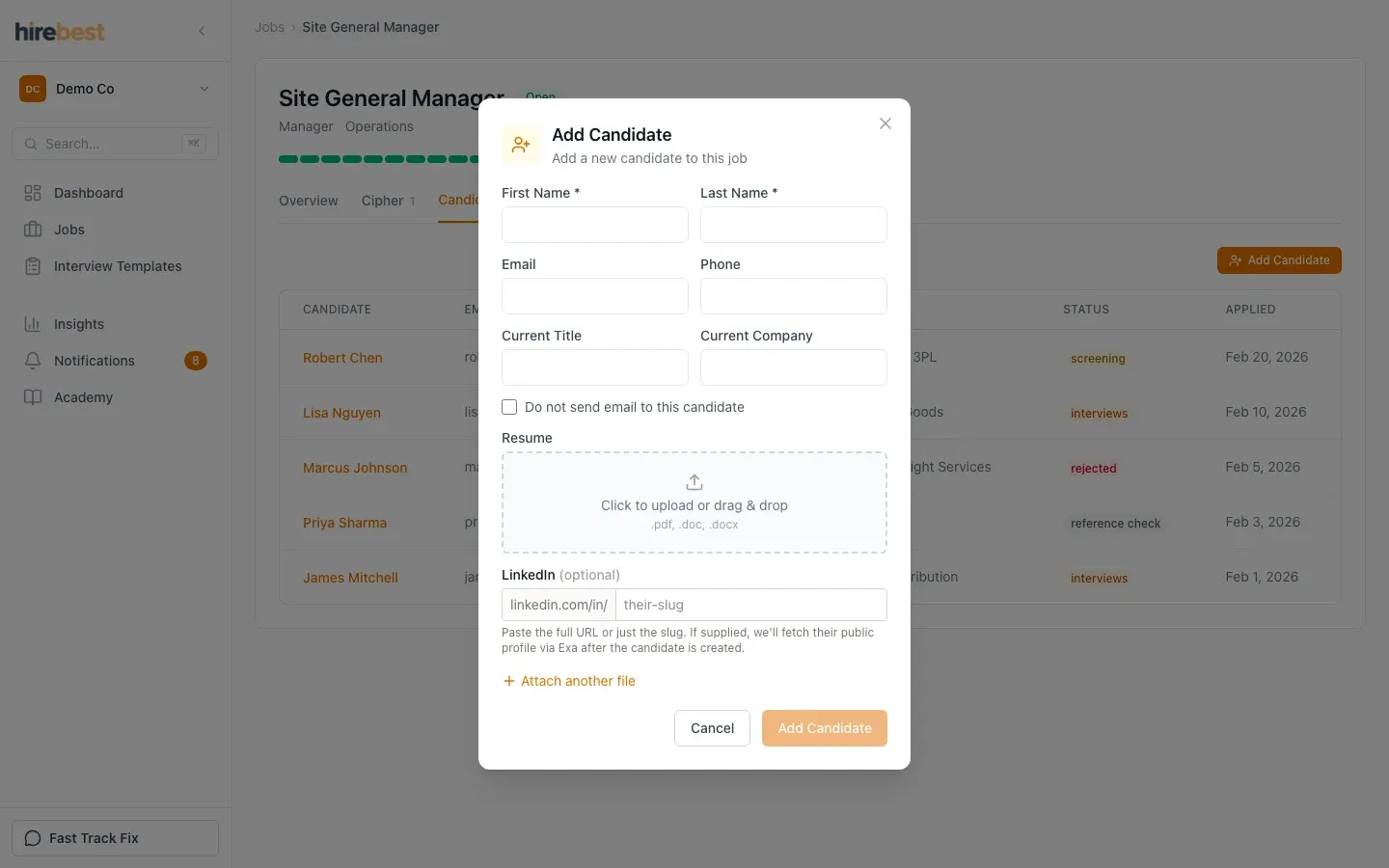
- Click Add Candidate.
- Enter the candidate's First Name and Last Name. These are the only required fields.
- Add what else you have: email, phone, current title, current company, their résumé (.pdf, .doc or .docx), their LinkedIn profile and other attachments such as a cover letter or portfolio.
If HireBest finds a candidate who may be the same person, it shows the match. Choose Add to them to use the existing candidate record rather than create a second one.
Add the candidate's email address if you plan to order a Hogan assessment, because the assessment link goes to that address. See Add a candidate.